✍️ Manual Editing
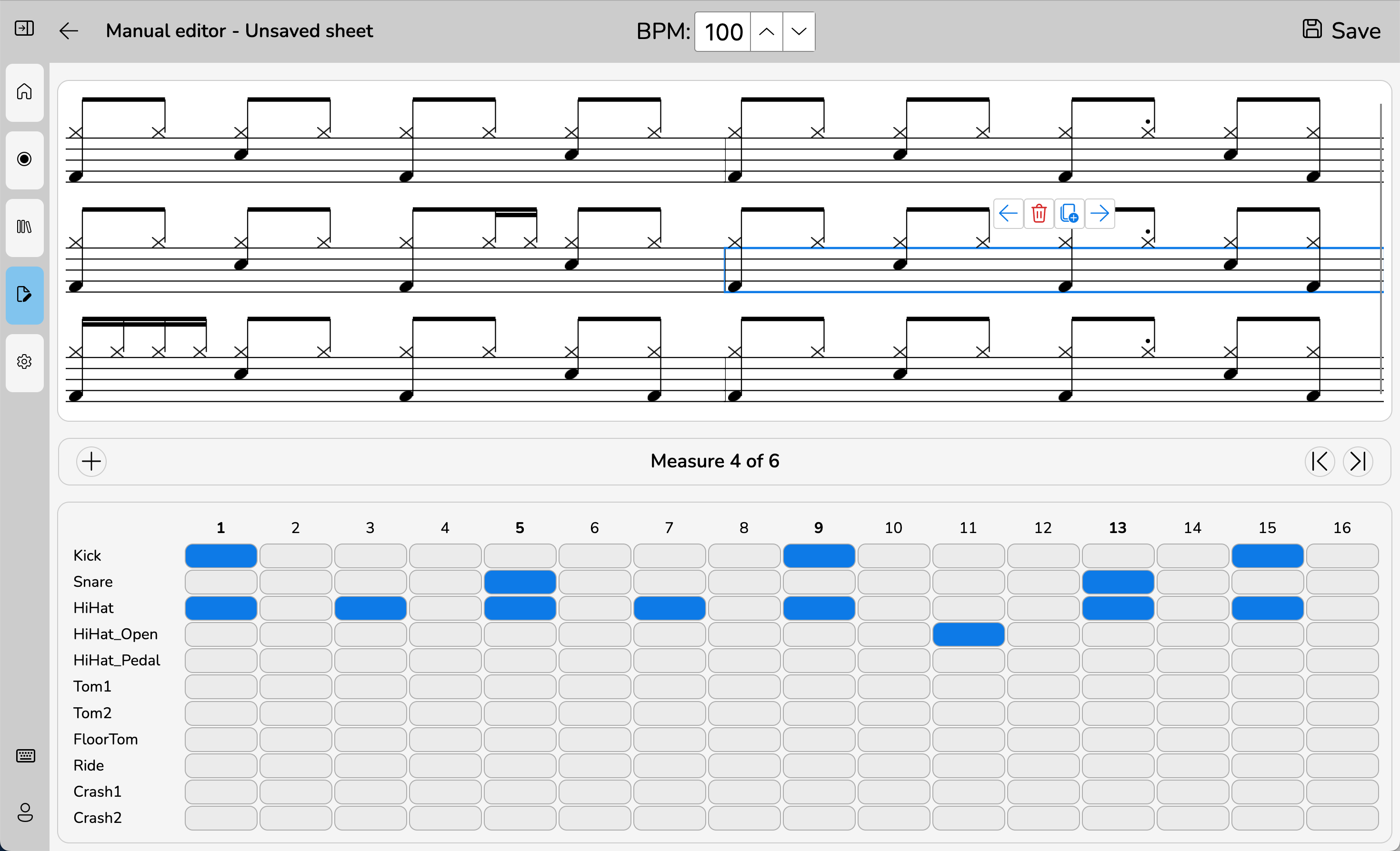
The Manual View lets you create or edit sheets by hand. It is perfect for fine-tuning any mistakes in existing sheets, or creating reference (learning) sheets.
Creating a Sheet Manually
- Open the Manual View.
- Create new, or edit an existing sheet.
- Use toggle buttons to add or remove notes.
- Click, or use arrow buttons to navigate through measures.
- Duplicate, move around, or delete whole measures using the buttons on top of them.
- Save your sheet when done.
Notes are arranged in a fixed rhythmic grid (currently 4/4, 16th notes max).